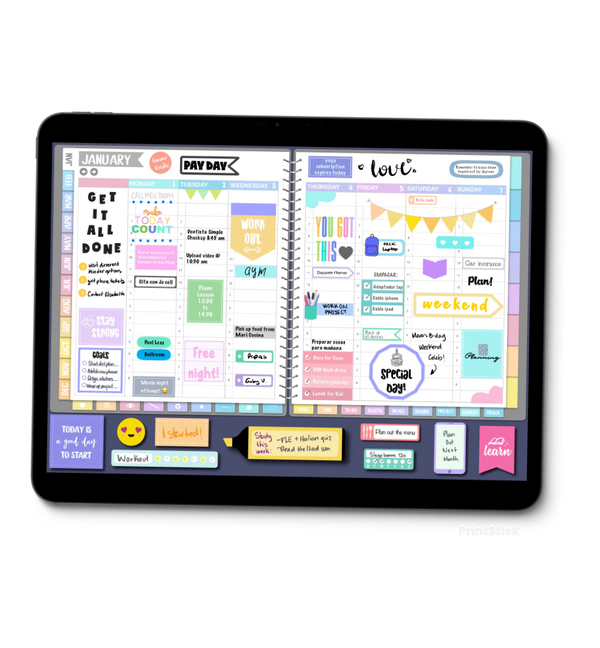
Calendar Planner
Meet the Calendar Planner: Your Year, One Month at a Time
Meet the Calendar Planner: clean monthly spreads, optional weekly and schedule pages, and a simpler way to keep your plans together.
Not every planner needs hundreds of pages. Sometimes all you want is to open your planner, see your month, and get on with your day. That's exactly why we made the Calendar Planner.
The Calendar Planner is built around clean, roomy monthly spreads, so your whole month fits on one page: birthdays, appointments, deadlines, trips and everything in between. No clutter, no sections you'll never use, no feeling behind because you skipped a day.
What's inside
- Monthly spreads. The heart of the planner. Big boxes, clear dates and plenty of space to write.
- A yearly calendar. See all twelve months at a glance and jump straight to any month with one tap.
- Optional weekly pages. Want a closer look at a busy stretch? Add weeks that start on Monday or Sunday, or an eight-box page for lists and notes. Use them when you need them, skip them when you don't.
- Optional daily schedule page. Some days need a little more structure. Add a daily schedule page when you want to map out appointments, set aside time for tasks, or take a closer look at a busy day. Just like the optional weekly pages, it’s there when you need it.
- Index and note pages. Keep ideas, lists and reminders together and find them again in seconds.
- Fully hyperlinked. Tap a month tab or a month name and you're there.
Why simple works
A simple system is one you'll actually keep using. With the Calendar Planner, planning takes a minute: glance at your month, add what's coming, and you're done. It's perfect if you're new to digital planning, if you've tried bigger planners and felt overwhelmed, or if you just love a clean, minimal layout.
Made for the way you plan
Pick your favorite look (colorful or gray), and use it in GoodNotes or your favorite PDF annotation app on iPad. Check the product options before purchasing and check out our planner sample viewer to see exactly what the pages inside the planner look like.
Ready for a calmer way to plan? Find the Calendar Planner in the shop and make room for simpler, more organized days.
What everyone's saying 0
No comments yet. Be the first!
Comments are for PrintStick members. Sign in to join the conversation.
Sign in